Introduction
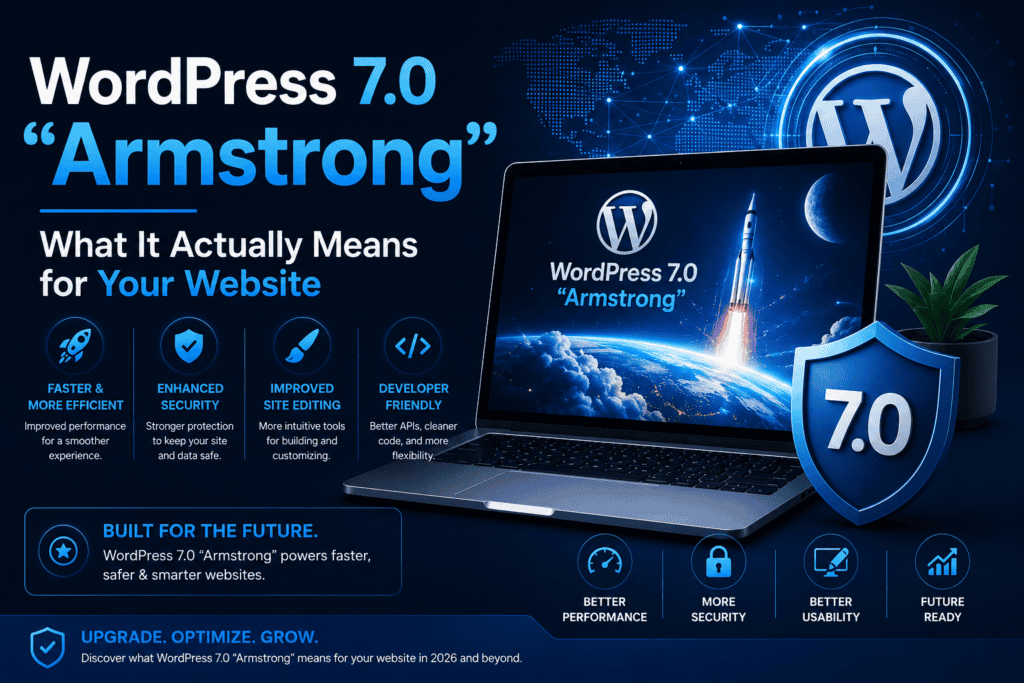
WordPress 7.0, codenamed “Armstrong,” officially landed on May 20, 2026 — and it’s one of the more substantial core updates in recent years. If you own a WordPress website, you’ve probably already seen an update notification sitting in your dashboard. The question most site owners actually have isn’t “what’s new” — it’s “does this affect me, and what should I do about it?”
As a freelance WordPress developer, I’ve spent the past few weeks testing WordPress 7.0 across client sites. This guide skips the changelog jargon and focuses on what genuinely matters if you run a business website, blog, or online store — and what to check before you hit “update.”
Why This Update Matters
WordPress still powers roughly 43–44% of all websites on the internet. At that scale, even modest core updates ripple across millions of sites — and WordPress 7.0 isn’t a modest update. It pushes further into block-based editing, drag-and-drop workflows, and team collaboration features that were previously only available through third-party plugins.
The practical takeaway: this release is less about flashy new features and more about WordPress closing the gap with no-code site builders, while still giving you full ownership of your content and data.
What’s Actually New in WordPress 7.0
1. Deeper Block Editor Improvements
WordPress 7.0 continues pushing blocks as the foundation of how content gets built. A block is simply a reusable content unit inside the editor — a paragraph, heading, image, gallery, or accordion — and this release makes blocks more consistent and easier to work with across page builders and themes.
Why this matters for business owners: if your team updates pages regularly (pricing changes, new services, blog posts), more reliable blocks mean fewer formatting headaches and less reliance on a developer for routine content updates.
2. Team Notes and Collaboration Workflows
One of the more business-relevant additions is built-in support for team notes and smoother multi-editor workflows. Previously, real-time collaboration on WordPress required third-party plugins. WordPress 7.0 lays groundwork that reduces that dependency, with full real-time collaborative editing expected to expand further in WordPress 7.1.
Practical impact: if you have more than one person updating your site — a marketing team member, a virtual assistant, a business partner — this makes simultaneous editing noticeably less clunky.
3. PHP 8.5 Support, PHP 7.4 Still the Minimum
WordPress 7.0 and WordPress 6.9 now fully document support for PHP 8.5. For most site owners this is invisible — it’s your hosting provider’s responsibility — but it’s worth confirming with your host that your server is running a modern PHP version. The minimum supported version remains PHP 7.4, but the recommended version is PHP 8.3 or higher.
What to check: log into your hosting control panel (cPanel, hPanel, or similar) and confirm your PHP version. Running outdated PHP slows your site down and creates unnecessary security risk — this is one of the simplest fixes available to any site owner.
4. Real-Time Collaborative Editing — Coming, Not Yet Here
It’s worth being clear about what WordPress 7.0 does not yet include: full real-time collaborative editing, similar to Google Docs, was originally anticipated but did not ship in this release. The groundwork is in place, and an outreach effort for testing this in WordPress 7.1 is already underway. If your workflow depends on multiple people editing the same page simultaneously, that capability is close — but not production-ready yet.
What This Means If You Use Elementor or Another Page Builder
If your site is built with Elementor, Astra, or a similar page builder (as most client sites I build are), WordPress 7.0 compatibility is generally smooth — but “generally” isn’t “guaranteed.” Page builders interact deeply with the block editor and theme layer, so a major core update is exactly the kind of change that can occasionally surface a conflict.
Before updating, do this:
- Take a full backup — files and database, not just one or the other
- Test on a staging site first, if your host offers one (Hostinger, for example, includes staging environments on most plans)
- Update plugins and your theme to their latest versions before updating WordPress core — outdated plugins are the most common source of post-update conflicts
- Check your page builder’s changelog — Elementor and most major builders publish explicit WordPress 7.0 compatibility notes
If you’re not comfortable running this process yourself, this is exactly the kind of maintenance task that’s worth having a developer handle — a botched core update without a backup is one of the most common ways small business sites go down unexpectedly.
Security: Why This Update Isn’t Optional Forever
WordPress’s dominance makes it a constant target. Cyberattacks targeting CMS platforms have increased significantly in recent years, and outdated WordPress installations remain one of the most common entry points for attackers. Running an outdated core version isn’t just about missing new features — every update includes security patches, and delaying updates indefinitely leaves known vulnerabilities exposed.
That said, “update immediately the day it launches” isn’t the right move for every site either, especially with a major release. The middle ground that works well in practice:
- Personal sites and blogs: update within the first 1–2 weeks, after the initial wave of compatibility issues from major plugins has been resolved
- Business and e-commerce sites: test on staging first, then update within 2–4 weeks
- Mission-critical sites: wait for at least one or two point releases (7.0.1, 7.0.2) before updating, unless a specific security patch requires immediate action
If security setup on your site needs attention before you update anything else, my guide on setting up Wordfence properly walks through firewall configuration, malware scanning, and login protection step by step.
What WordPress 7.0 Means for SEO
There’s no direct SEO ranking change tied to WordPress 7.0 itself — Google doesn’t rank sites differently based on core version. But indirectly, this update matters for SEO in a few ways:
- Faster, more efficient block rendering can contribute to better Core Web Vitals scores if your theme and plugins are optimized for it
- Sites running outdated, unpatched WordPress versions are more vulnerable to security incidents that can tank rankings overnight (a hacked site often gets flagged or deindexed by Google)
- Better content management workflows mean less friction publishing the consistent, fresh content that search engines reward over time
If you haven’t audited your on-page SEO recently, my complete on-page SEO checklist covers exactly what to check on every page and post.
A Quick Pre-Update Checklist
Before updating any production WordPress site to version 7.0, run through this:
- Full backup taken (files + database)
- Backup verified as restorable (not just “backup exists”)
- All plugins updated to their latest versions
- Theme updated to its latest version
- Tested on staging site, if available
- Checked your page builder’s WordPress 7.0 compatibility notes
- Confirmed your hosting PHP version is 8.3+ (recommended)
- Scheduled the update during low-traffic hours, just in case
Should You Update Right Now?
For most small business and portfolio sites, yes — with a backup in place first. WordPress 7.0 has been live since May 2026, meaning the most common compatibility issues with major plugins and themes have generally already been identified and patched. Waiting indefinitely just delays the security benefits without meaningfully reducing risk at this point.
If your site is more complex — heavy customizations, custom plugins, a high-traffic store — testing on staging first is the more careful approach, and worth the extra hour it takes.
Final Thoughts
WordPress 7.0 “Armstrong” is a meaningful step forward — more reliable blocks, better team workflows, and continued movement toward real-time collaboration. None of it requires a website overhaul, but it does require a normal, disciplined update process: backup, test, then update.
As a freelance WordPress developer, this kind of maintenance is exactly where things quietly go wrong when it’s rushed — and exactly where they go smoothly when it isn’t. If you want a second set of eyes on your update process, or ongoing maintenance so you’re not the one tracking every WordPress release, take a look at my website maintenance and support service.
Related Posts You Might Like
- WordPress Security in 2026: The Complete Wordfence Setup Guide
- How AI Is Transforming WordPress in 2026
- On-Page SEO Checklist for WordPress Websites in 2026
- Modern Website Design Trends in 2026
Not sure if your site is ready for the update? Get in touch — I can review your setup and handle the update safely.