Introduction
Web design moves fast. What looked modern and polished two years ago can feel dated today — and in 2026, the gap between a well-designed website and an outdated one is more visible than ever.
The good news: you don’t need to chase every trend. The best-performing websites in 2026 share a common approach — they prioritize user experience, load fast, look clean on every device, and make it immediately clear what the site is about. This guide breaks down the modern website design trends that are genuinely shaping how sites are built and experienced right now, and how you can apply them practically to your own WordPress site.
1. Minimalism Is Still Winning — But It Has Evolved
Clean, uncluttered design remains dominant in 2026. However, minimalism has evolved beyond just “white space and simple fonts.” Today’s minimalist websites are:
- Performance-driven — fewer elements mean faster load times, which directly improves search rankings and user experience
- Content-forward — design gets out of the way so the message comes through clearly
- Bold where it matters — instead of decorating everything, modern minimal sites use one or two strong visual anchors (a powerful hero image, a standout headline, or a distinctive color accent)
The trap to avoid: minimalism doesn’t mean “boring.” A minimal site with sharp typography and purposeful spacing can be just as striking as a heavily designed one — and it usually loads much faster.

2. Dark Mode Is Now a Standard Expectation
Dark mode has shifted from a novelty to an expectation. In 2026, users routinely browse in dark mode on their phones, tablets, and desktops — and websites that only support light mode feel behind the times.
For WordPress sites, adding dark mode support has become easier than ever. Plugins like WP Dark Mode allow visitors to toggle between light and dark versions of your site seamlessly. For custom-built sites, CSS prefers-color-scheme media queries let the site automatically match the user’s system preference.
Why it matters beyond aesthetics:
- Reduces eye strain for users browsing at night
- Improves battery life on OLED screens
- Signals that your site cares about user experience — which builds trust
3. Mobile-First Is Now Non-Negotiable
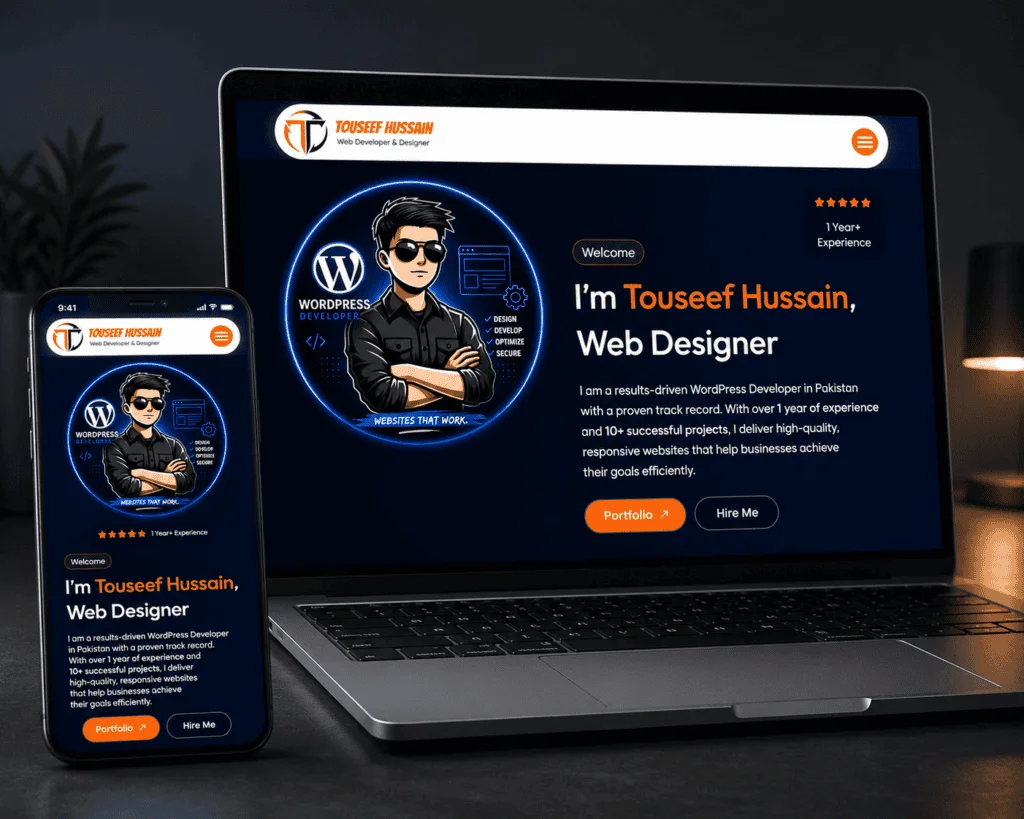
Mobile-first design has been talked about for years, but in 2026 it’s truly non-negotiable. Mobile devices now account for over 60% of global web traffic, and Google’s indexing is entirely mobile-first — meaning your mobile site is what Google evaluates for search rankings.
What mobile-first actually means in practice:
- Design starts with the smallest screen, then scales up — not the other way around
- Touch targets (buttons, links) are large enough to tap comfortably
- Navigation is simple and accessible — no hidden menus that require hover states
- Page weight is kept low — large images and unnecessary scripts are the most common mobile performance killers
- Font sizes are readable without zooming
For WordPress users building with Elementor or similar page builders, this means checking every section in mobile preview before publishing — not just assuming it will look good. Additionally, using lazy loading for images ensures only visible content loads first, keeping the experience fast for mobile users on slower connections.

4. Typography Is Doing More Visual Work
One of the clearest shifts in 2026 web design is the rise of typographic expression. With AI-generated imagery everywhere, designers are leaning into bold, expressive typography as a way to create visual impact without relying on stock photos.
This shows up in a few ways:
- Oversized headings that fill most of the hero section
- Strong contrasts between heading and body font weights
- Serif fonts making a comeback — they signal sophistication and have become more readable on modern screens
- Animated text effects used carefully (a single animated word or phrase, not entire paragraphs)
For WordPress sites, Google Fonts makes it easy to experiment with distinctive typefaces. The key is pairing a strong display font with a clean, highly readable body font — and ensuring the combination works well at every screen size.
5. AI-Powered Personalization
One of the most significant shifts in 2026 is that websites are becoming more dynamic — showing different content to different visitors based on behavior, device, or traffic source. A returning visitor might see a different call-to-action. A WooCommerce store might surface different product recommendations based on past browsing.
This kind of personalization used to require enterprise-level custom development. Now, WordPress plugins and Elementor’s AI features are making it accessible to smaller sites and solo entrepreneurs.
Practical starting points:
- WooCommerce stores: enable product recommendation engines
- Lead generation sites: A/B test different hero headlines using free tools like Google Optimize
- Service businesses: use conditional content blocks to show different messages to mobile vs. desktop visitors
As a freelance WordPress developer, I’m seeing more clients request this kind of dynamic content — not because it’s trendy, but because it measurably improves engagement and conversion rates.
6. Performance Is Part of Design Now
Page speed is no longer just a technical concern — it’s a design decision. In 2026, the best designers think about performance at every step: choosing lightweight fonts, compressing images before upload, limiting third-party scripts, and building on fast hosting.
Google’s Core Web Vitals — which measure loading speed, interactivity, and visual stability — directly influence search rankings. A beautifully designed site that scores poorly on Core Web Vitals will consistently lose traffic to faster competitors.
The most impactful performance design decisions:
- Use modern image formats (WebP or AVIF) instead of PNG/JPG
- Limit fonts to two families maximum per site
- Avoid loading full-page animations on mobile
- Use a lightweight WordPress theme as the foundation (Hello Elementor, Astra, GeneratePress)
Tools like Google PageSpeed Insights give you a free, detailed score for both mobile and desktop — and tell you exactly what to fix.
7. Accessibility Is No Longer Optional
Accessibility — designing websites so they work for people with visual, motor, or cognitive differences — has moved from a niche concern to a mainstream design standard in 2026.
Beyond the ethical argument, accessible design has real business benefits: it improves SEO (search engines and screen readers interpret content similarly), expands your potential audience, and reduces legal risk in regions where accessibility compliance is required.
Practical accessibility improvements for WordPress sites:
- Ensure sufficient color contrast between text and background (tools like WebAIM Contrast Checker make this easy to check)
- Add descriptive alt text to every image
- Ensure all interactive elements are keyboard-navigable
- Use clear, descriptive link text (not just “click here”)
- Test your site with a screen reader at least once
Most of these are small changes with outsized impact — both for real users and for how search engines read your content.
8. Content-First Design
Perhaps the most practical trend of 2026 is deceptively simple: design that leads with clarity. Visitors want to know immediately what a site is about, what they can do there, and why they should care. Sites that bury their message under hero animations, abstract imagery, or vague taglines consistently perform worse than those that state their value clearly from the first screen.
This shows up in several ways:
- Concise, specific headlines above the fold (“WordPress websites for service businesses — delivered in 14 days” beats “We help you grow”)
- Quick-scan formats at the top of blog posts (key takeaways, summary bullets) so readers know what they’re getting before they commit to scrolling
- Calls-to-action that describe a specific next step, not just “Learn More” or “Contact Us”
What’s Going Out in 2026
Just as important as knowing what’s trending is knowing what’s falling out of favor:
- Overloaded hero sections with multiple animations, videos, and full-screen sliders
- Generic stock photography — particularly the “people in suits shaking hands” variety
- Excessive popup use — especially on mobile, where they disrupt the experience significantly
- Pages that are all design, no content — visitors and search engines both want substance
- Cookie-cutter templates with no distinguishing visual identity
Applying These Trends to Your WordPress Site
You don’t need to rebuild your entire site to take advantage of these trends. Start with a few high-impact changes:
- Check your mobile experience — open your site on your actual phone and scroll through every section
- Run a PageSpeed test — identify your biggest performance issues
- Review your hero section — is your value proposition immediately clear?
- Add dark mode support — a single plugin handles this
- Audit your images — compress everything and switch to WebP format where possible (ShortPixel handles this automatically)
If you want to go deeper on any of these areas, my guides on building a responsive WordPress site and WordPress security fundamentals cover the technical side in detail.
Final Thoughts
Modern website design in 2026 is less about following visual trends and more about building experiences that work — fast, clear, accessible, and relevant on every device. The sites that stand out aren’t necessarily the most visually complex; they’re the ones that make it easiest for visitors to understand what’s being offered and take the next step.
As a freelance WordPress developer, I help businesses translate these principles into real websites that perform in search, convert visitors, and work beautifully on every screen.
Related Posts You Might Like
- How AI Is Transforming WordPress in 2026
- WordPress Security in 2026: The Complete Wordfence Setup Guide
- Elementor Mein Responsive Website Kaise Banayen
Ready to bring your website up to 2026 standards? Get in touch — let’s build something that works as good as it looks.